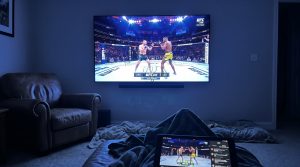

IPTV buffering frustrates viewers worldwide, but blaming your internet speed alone won’t solve the problem. While many assume a slow connection causes every stutter and freeze, poor IPTV service quality frequently triggers buffering regardless of your bandwidth. This guide reveals the real culprits behind buffering issues and delivers practical solutions that actually work.
Understanding IPTV Buffering: Beyond Internet Speed
The conventional wisdom tells you to check your internet speed first when IPTV buffering strikes. This advice oversimplifies a complex issue that involves multiple factors working together to deliver smooth streaming.
Common Misconceptions About Internet Speed
Most troubleshooting guides recommend at least 12-15 Mbps for stable IPTV streaming. These numbers appear everywhere, creating the impression that hitting this threshold guarantees perfect playback.
The reality proves more nuanced. Households with 50 Mbps connections still experience buffering, while others stream flawlessly on slower speeds. The difference rarely comes down to raw bandwidth alone.
- Speed tests mislead: Your connection to a test server differs from your path to IPTV servers across the globe.
- Advertised speeds vary: ISPs promise “up to” certain speeds, which fluctuate throughout the day based on network congestion.
- Other devices compete: Background downloads, smart home devices, and multiple streams share your available bandwidth.
- Upload matters too: Two-way communication between your device and IPTV servers requires decent upload speeds, not just download capacity.
More Than Just Speed: The Role of Service Quality
Poor IPTV service quality causes consistent buffering even when your internet connection performs perfectly. Server infrastructure determines whether streams reach you reliably.
Underpowered servers struggle during peak viewing hours when thousands of subscribers connect simultaneously. Budget providers often oversell capacity, leaving paying customers with unwatchable streams during evenings and weekends.
Pro Tip: Test your IPTV service at different times of day. Buffering that appears only during evening hours indicates server capacity issues, not your internet connection.
Among the top-rated options, Guru IPTV stands out for its reliability and server infrastructure. Their network handles peak loads without degradation, ensuring consistent performance regardless of when you watch.
Try Guru IPTV Free — No Credit Card Needed
Get instant access to 10,000+ channels with our free trial.
Claim Your Free Trial on WhatsAppInvestigating IPTV Server Stability and How It Affects Viewing
Server infrastructure separates premium IPTV services from bargain providers that promise everything and deliver disappointment. Understanding these technical factors helps you identify when to switch providers.
Identifying Server-Related Buffering Issues
Server problems manifest differently than internet connection issues. Buffering from poor servers appears as sudden freezes followed by rapid playback to catch up, or streams that work perfectly one moment and collapse the next.
Geographic distance between you and IPTV servers affects latency and buffering frequency. Providers with distributed server networks position resources closer to subscribers, reducing the physical distance data travels.
- Server overload symptoms: Buffering occurs during popular events or prime time viewing hours only.
- Geographic routing issues: Certain channels buffer while others from different regions play smoothly.
- Bandwidth allocation problems: Your provider throttles streams to accommodate more users than their infrastructure supports.
- Maintenance downtime: Unexpected outages or degraded performance without explanation from your provider.
Watch Out: Free IPTV services and extremely cheap subscriptions cut costs by running minimal server infrastructure. You get what you pay for in streaming reliability.
Choosing Reliable IPTV Providers
Service quality varies dramatically across IPTV providers. Established services invest in redundant servers, content delivery networks, and load balancing to maintain performance under pressure.
Guru IPTV maintains server infrastructure across multiple continents, ensuring subscribers worldwide experience minimal latency and consistent uptime. Their technical investment translates directly to fewer buffering interruptions during your viewing.
Look for providers who offer transparent uptime statistics and money-back guarantees. These commitments signal confidence in their infrastructure. Not sure which service meets your needs? Contact us on WhatsApp to discuss your requirements and claim your free trial.
| Provider Quality Indicator | Premium Service | Budget Service |
|---|---|---|
| Server locations | Multiple continents | Single location |
| Peak hour performance | Consistent quality | Frequent buffering |
| Uptime guarantee | 99%+ with compensation | No guarantees |
| Customer support | 24/7 responsive team | Email only, slow response |

The Role of Device Compatibility in IPTV Performance
Your streaming device processes video data, manages network connections, and renders content to your screen. Incompatible or outdated hardware creates bottlenecks that manifest as buffering regardless of your internet speed or service quality.
Device-Specific Challenges
Older streaming devices lack the processing power to decode modern video formats efficiently. This hardware limitation causes stuttering playback that resembles network buffering but originates from the device itself.
Different platforms handle IPTV streams differently. Android boxes, Fire Sticks, Smart TVs, and dedicated IPTV boxes each have strengths and weaknesses that affect streaming performance.
- Processor limitations: Budget devices struggle with high-resolution streams and advanced codecs.
- RAM constraints: Insufficient memory forces constant buffering to compensate for limited cache capacity.
- WiFi capabilities: Older wireless standards create connection instability that newer protocols avoid.
- App compatibility: Some IPTV applications perform poorly on specific operating systems or device models.
Optimizing Device Settings
Adjusting device configurations eliminates many buffering issues without upgrading hardware. These changes optimize how your device handles IPTV streams and network communication.
- Clear cache regularly: IPTV apps accumulate temporary files that slow performance over time.
- Close background applications: Other running apps consume RAM and processing power needed for smooth streaming.
- Update firmware: Manufacturers release patches that improve network handling and video decoding efficiency.
- Adjust video buffer settings: Increase buffer size in your IPTV app settings to allow more pre-loading before playback begins.
- Enable hardware acceleration: This setting offloads video decoding to dedicated chips instead of the main processor.
Pro Tip: Wired Ethernet connections always outperform WiFi for IPTV streaming. If wireless is your only option, position your device within direct line-of-sight of your router and minimize interference from walls and other electronics.
How Geo-blocking Can Influence IPTV Buffering
Geographic restrictions force your connection through longer, less efficient routing paths. This additional distance and potential throttling creates buffering that disappears when you access the same content from an allowed location.
Understanding Geo-blocking and Its Effects
Content providers restrict access based on your IP address location. When IPTV services route around these restrictions, your stream travels through additional servers that introduce latency and potential connection issues.
Some ISPs actively throttle connections to known IPTV services or international streaming servers. This selective bandwidth reduction targets specific types of traffic while leaving other internet activity unaffected.
Direct Connection Benefits
- Shortest routing path to servers
- Minimal latency and delay
- No additional encryption overhead
- Maximum available bandwidth
Geo-blocked Connection Issues
- Extended routing through proxies
- ISP throttling of international traffic
- Inconsistent connection stability
- Reduced effective bandwidth
Overcoming Geo-blocking Challenges
Virtual Private Networks (VPNs) mask your real location and encrypt your traffic, preventing ISP throttling while enabling access to geo-restricted content. Quality VPN services add minimal latency when configured properly.
Choose VPN servers geographically close to your actual location to minimize the distance your data travels. Connecting to a VPN server on another continent adds significant latency that causes buffering even with fast internet speeds.
According to Wikipedia’s VPN documentation, modern protocols like WireGuard offer better performance for streaming compared to older options. Guru IPTV works seamlessly with all major VPN services, giving you flexibility to optimize your connection path.

Advanced Solutions: Optimizing Your IPTV Experience
Beyond basic troubleshooting, advanced configuration changes dramatically improve streaming performance. These technical adjustments require more effort but deliver significant results for persistent buffering problems.
Router Configuration and Setup
Your router manages all network traffic flowing to and from your devices. Proper configuration prioritizes IPTV streams over less time-sensitive data like file downloads and software updates.
- Enable Quality of Service (QoS): Configure your router to prioritize streaming traffic over other network activities.
- Use 5GHz WiFi band: This frequency offers faster speeds and less interference than crowded 2.4GHz networks.
- Update router firmware: Manufacturers release updates that improve performance and fix network handling bugs.
- Change DNS servers: Third-party DNS providers like Google or Cloudflare often resolve addresses faster than ISP defaults.
- Disable unused features: Turn off guest networks, parental controls, and firewall rules that aren’t essential.
| Router Setting | Recommended Configuration | Impact on Buffering |
|---|---|---|
| QoS Priority | High for streaming devices | Reduces interruptions from other traffic |
| WiFi Channel | Auto or manually select least congested | Minimizes interference from neighbors |
| DNS Server | 1.1.1.1 or 8.8.8.8 | Faster content delivery and routing |
| UPnP | Enabled for IPTV apps | Automatic port forwarding for better connectivity |
Video Quality and Bandwidth Management
Streaming ultra-high-definition content requires substantially more bandwidth than standard definition. Adjusting quality settings matches your stream to available bandwidth capacity.
Most IPTV applications allow manual quality selection. Start with automatic adaptive streaming, which adjusts resolution based on current connection speed. If buffering persists, manually select a lower resolution to ensure smooth playback.
5-10 Mbps
Typical bandwidth needed for stable HD IPTV streaming on a single device
Tools and Techniques for Monitoring Network Congestion
Network congestion occurs when too many devices compete for limited bandwidth simultaneously. Identifying usage patterns reveals when and why buffering occurs, enabling targeted solutions.
Identifying Peak Congestion Times
Internet traffic follows predictable patterns throughout the day. Your household network experiences higher load during evenings when family members stream content, browse social media, and game online simultaneously.
ISPs also experience congestion during peak hours when entire neighborhoods consume bandwidth heavily. This external congestion affects your IPTV performance even if your home network operates efficiently.
- Evening primetime (7-11 PM): Highest congestion period for both home networks and ISP infrastructure.
- Weekend afternoons: Increased streaming activity when more household members are home.
- Major sporting events: Millions of concurrent viewers create massive load on IPTV servers.
- New content releases: Popular show premieres drive traffic spikes that strain network capacity.
Implementing Traffic Management Tools
Network monitoring applications reveal which devices and applications consume bandwidth. This visibility allows you to identify and address congestion sources effectively.
Schedule bandwidth-intensive activities like large downloads, system backups, and software updates during off-peak hours. This simple change reserves your full connection capacity for IPTV streaming when you actually watch.
Watch Out: Automatic cloud backup services often run during evening hours by default. Reconfigure these to operate overnight when you’re not streaming content.
For comprehensive information about network performance optimization, Wikipedia’s network congestion article provides technical background on how traffic management works at scale.
Final Thoughts: Ensuring a Smooth IPTV Streaming Experience
Fixing IPTV buffering issues requires looking beyond internet speed to address server quality, device compatibility, network configuration, and congestion management. Each factor contributes to your overall streaming experience and demands attention for optimal performance.
The most effective solution combines choosing a reliable IPTV provider with proper technical configuration. Premium services like Guru IPTV eliminate server-related buffering through robust infrastructure, while optimizing your home network ensures you take full advantage of that quality.
Bottom line: Buffering stems from multiple causes working together, so comprehensive solutions that address service quality, device performance, and network optimization deliver the reliable streaming experience you deserve.
Ready to Cut the Cord?
Join thousands of satisfied Guru IPTV subscribers. Start your free trial today — no commitment required.
Contact Us on WhatsApp